Redux
Problem: how two non parent-child components would communicate?
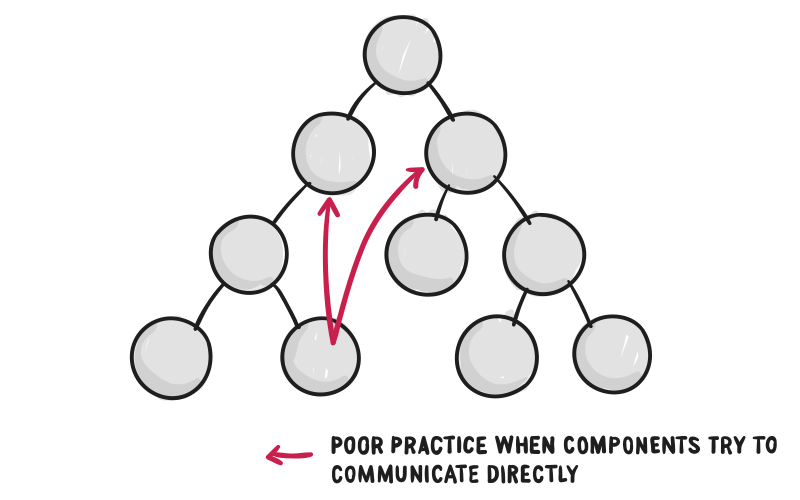
Resolution: Redux
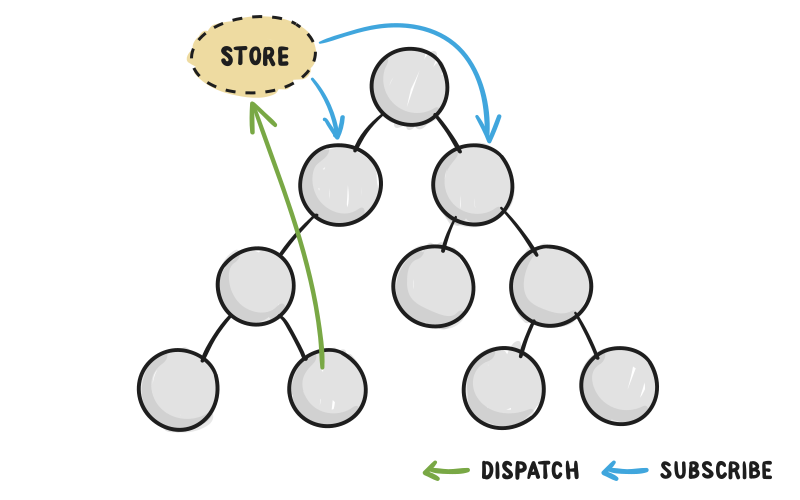
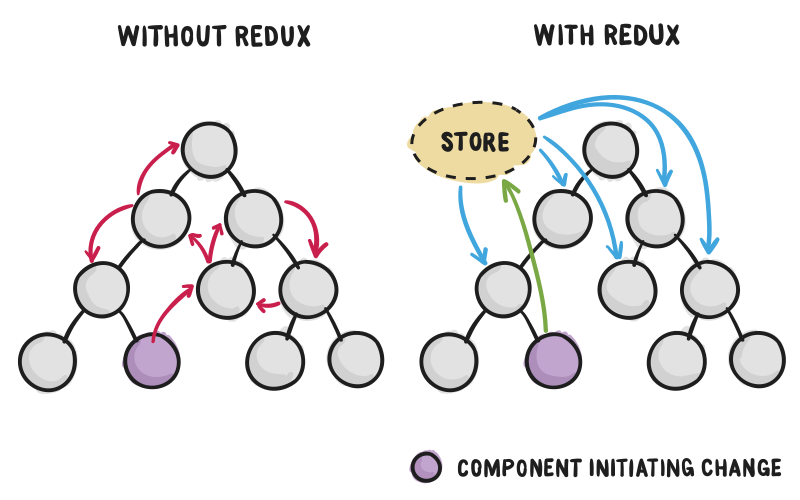
Simple version Redux:
- An
Actiondefines what to do. - The
statestores all of the data in application. - The
Reducertakes the state and the Action, and returns a new state. - The
Storestores our state.
interface Action {
    type: string;
    payload?: any;
}

interface Reducer<T> {
    (state: T, action: Action): T;
}

class Store<T> {
    private _state: T;
    private _reducer;

    private _listeners: ListenerCallback[] = [];

    constructor(reducer: Reducer<T>, initState: T){
        this._reducer = reducer;
        this._state = initState;
    }

    getState(): T {
        return this._state;
    }

    dispatch(action: Action): void{
        this._state = this._reducer(this._state, action);
        this._listeners.forEach((listener:ListenerCallback)=>listener());
    }

    subscribe(listener:ListenerCallback){
        this._listeners.push(listener);
        return ()=>{
            this._listeners = this._listeners.filter((l:ListenerCallback)=>l!==listener);
        };
    }
}

interface ListenerCallback {
    (): void;
}

interface UnsubscribeCallback {
    (): void;
}
let reducer: Reducer<number> = (state: number, action: Action) => {
switch (action.type) {
case 'increment':
return state++;
case 'descrement':
return state--;
default:
return action.payload;
}
};
let store = new Store<number>(reducer, 0);
let unsubscribe = store.subscribe(() => {
console.log('subscribed:', store.getState());
});
store.dispatch({ type: 'increment' });
store.dispatch({ type: 'descrement' });
store.dispatch({ type: '', payload: 10 });
unsubscribe();
store.dispatch({ type: 'increment' });The Ugly Side Of Redux
- The global store is a singleton, but a component may have many instances. so when you reuse the component, it will have a problem, just like the problem between the screen componnet and error component using a service to exchange data in Galaxy Web.
When we reuse the screen component and the error component in a popup, the screen component always sends data to a error panel in the main window. The global store is like the service we used, so it will have the same problem. In angularJS, it have a
requireattribute in the directive, so the screen component and the error component get the same parent, and exchange data via the parent componnet.